
Where everything is in the builder, how saving works, and the keyboard shortcuts.
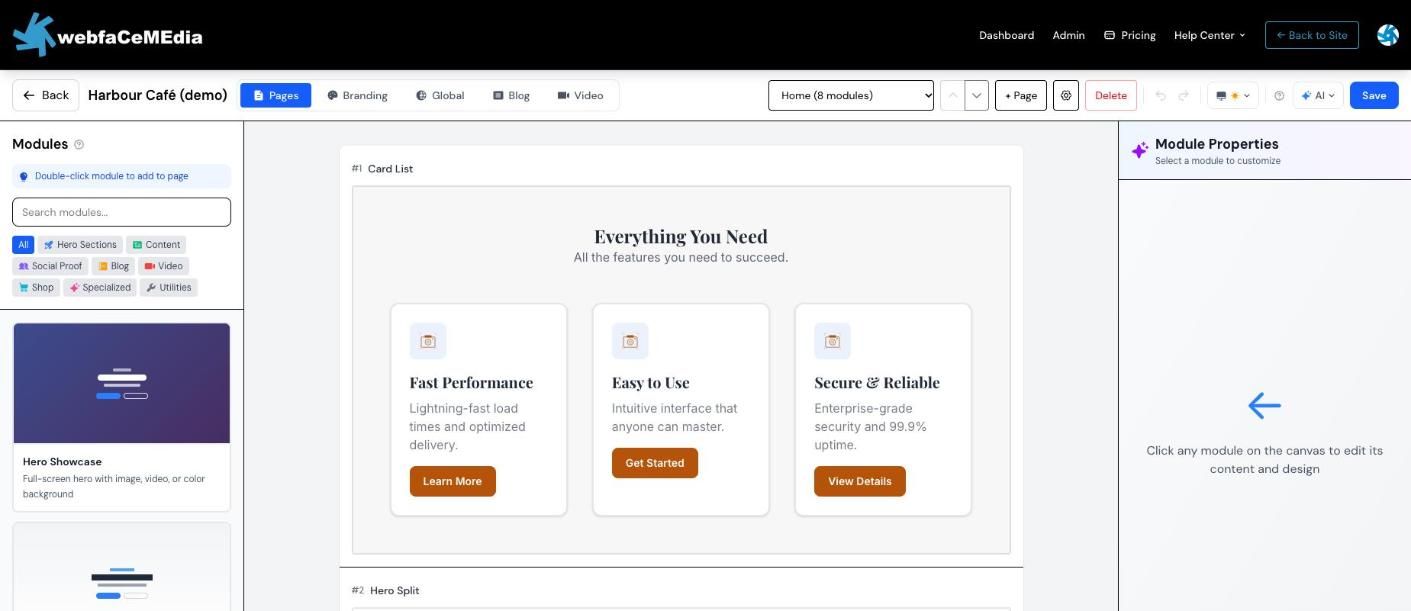
New to the builder? On your projects page, choose “Try the builder on a practice project”. It opens a café site you can change however you like — it is never published.
Pages is where you build. Branding sets colours, fonts and your logo. Global holds sections that appear on many pages. Blog and Video manage posts. The page menu switches pages; + Page adds one and the gear opens page settings, including the title and description search engines show.
Changes save a few seconds after you stop typing, and Save saves right away. If your connection drops, your edits stay in this browser and the builder offers to restore them the next time you open it.